A virtual Roland D-70 Super LA Synthesizer for your Mac
BHD-70
Coming soon
A virtual D-70: a carefully crafted recreation of the Roland D-70 Super LA Synthesizer, based on the original software from your own unit. It is not a model or an approximation: the sound is computed by the same program that runs in the hardware. An AUv3 plug-in for your DAW and a standalone Mac app.
You need your own D-70. BHD-70 contains no Roland software or sounds — on first launch it asks for files dumped from your instrument. Without them it will not play.
Who it is for
- For Roland D-70 owners who want a virtual D-70 — their own instrument inside the computer — in the DAW, in several copies at once, without carrying 76 keys around.
- For those who have a D-70 and a dump of its chips, or know someone who can make one (more on that below, in the questions).
- Not for those without a D-70. The app contains not a single Roland sound and cannot run without files from a real instrument.
The Roland D-70
Roland released the D-70 in 1990 as a “Super LA Synthesizer” and made it until 1994. The successor to the famous D-50 sold far worse than its predecessor and is somewhat forgotten today — although reviewers praised its sound: full, tight and full of character. In the US it cost 2,895 dollars.
- A 76-key keyboard with velocity and aftertouch, 30-voice polyphony, 6 parts at once (5 parts plus drums).
- 114 factory “Original Tones” in ROM: single and multisampled waves, short PCM loops and synthetic waveforms.
- How a sound is built: Tone (a single sound) → Patch with a Tone Palette, i.e. four Tones and common settings → Performance, i.e. several Patches at once with drums, effects and MIDI settings for each part.
- Tone Palette — four sliders nudge the values stored in the Tones up and down. A quick change of character without entering edit mode.
- A resonant TVF low-pass filter and a D-50-style TVA envelope. Effects: reverb, chorus, flanger.
- A backlit 240 × 64 pixel display.
A curiosity that explains how BHD-70 is built: the D-70 factory sounds are not in the instrument’s chips. Roland supplied them on a floppy disk — with the battery removed, the instrument starts with an empty memory.
Features
- A real D-70 inside: the sound is computed by the original Roland D-70 software — the same program that runs in the hardware — running in a modified MAME emulator.
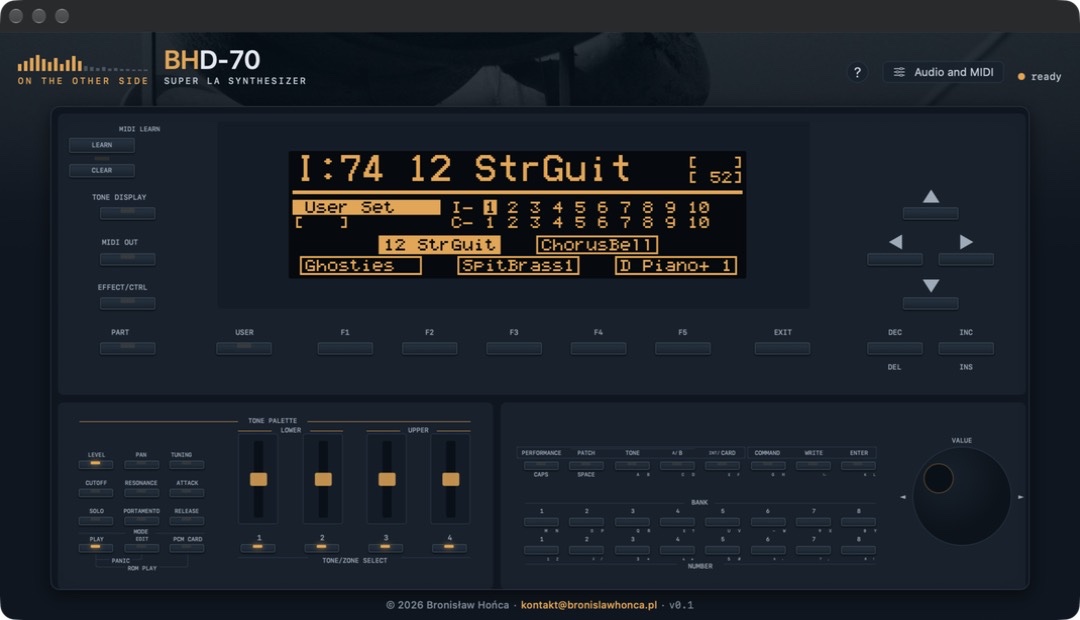
- The panel copied point for point from a real D-70: the buttons, the four Tone Palette sliders and the VALUE dial are where they are on the hardware. If you know the D-70, there is nothing new to learn. In the BH series colours.
- The display shows the real pixels drawn by the instrument’s firmware.
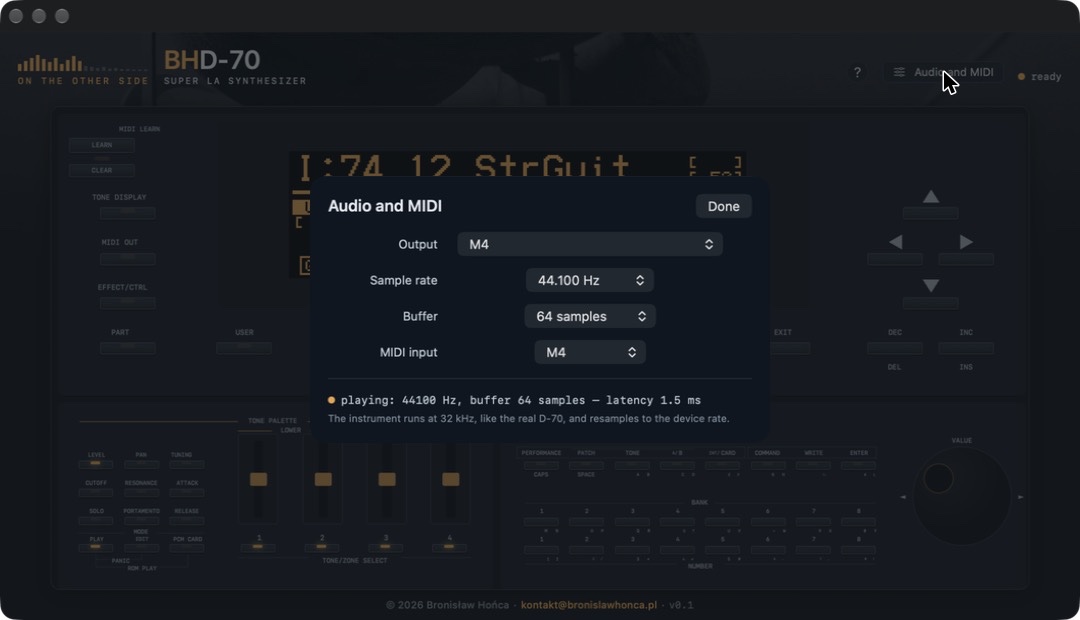
- 32 kHz, like the hardware: the instrument runs at the same rate as the D-70 and resamples to your audio device or project rate.
- AUv3 plug-in and standalone app: in a DAW (Logic Pro, Ableton Live, BH AU Host) or without one. Every instance is a separate instrument.
- Patch memory like the hardware: whatever you change and save stays there and is waiting when you open it again.
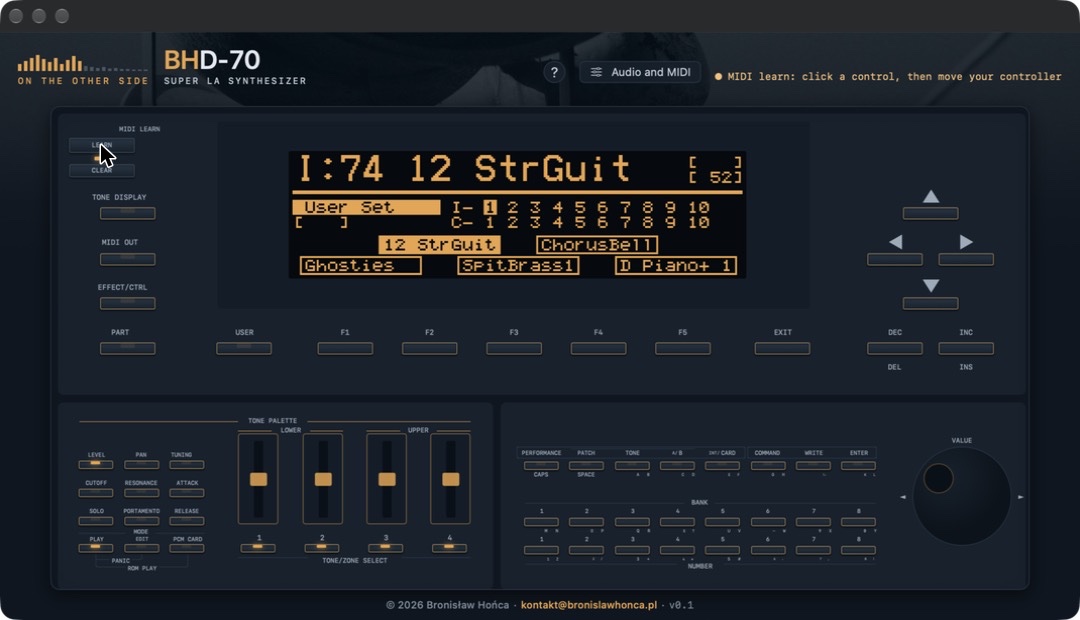
- MIDI learn — not on the hardware: map the knobs and sliders of your controller to panel controls.
- A built-in manual in English and Polish under the ? button.
Starting takes about 20 seconds
That is how long the firmware needs — exactly like the hardware after power-up. A real D-70 is booting underneath and goes through its start-up. Once the dot next to the name turns to ready and the display shows a sound name, you can play.
What the app needs
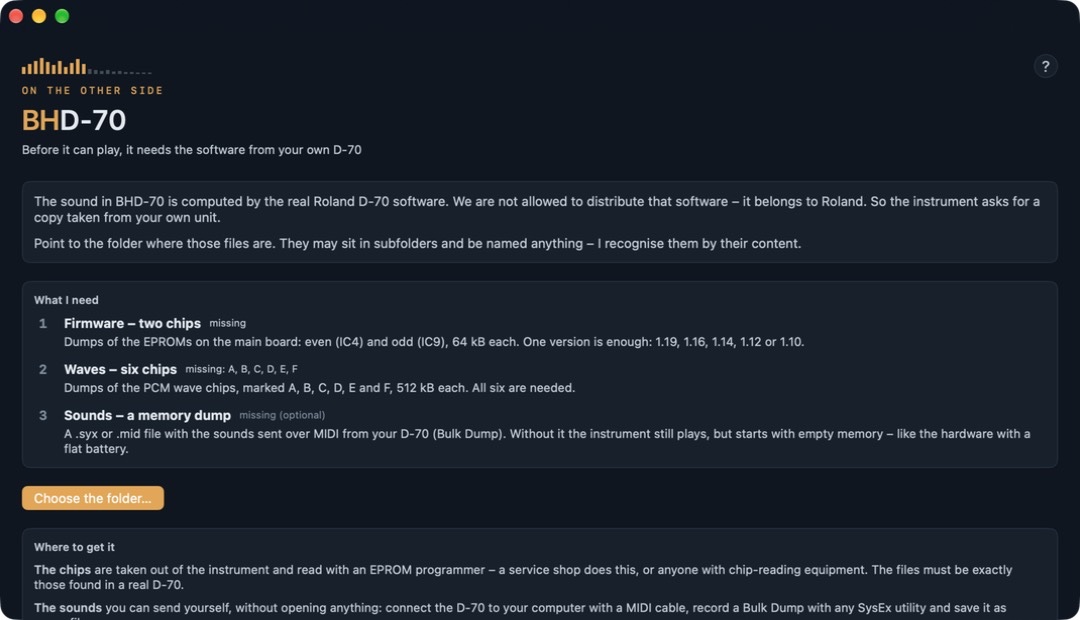
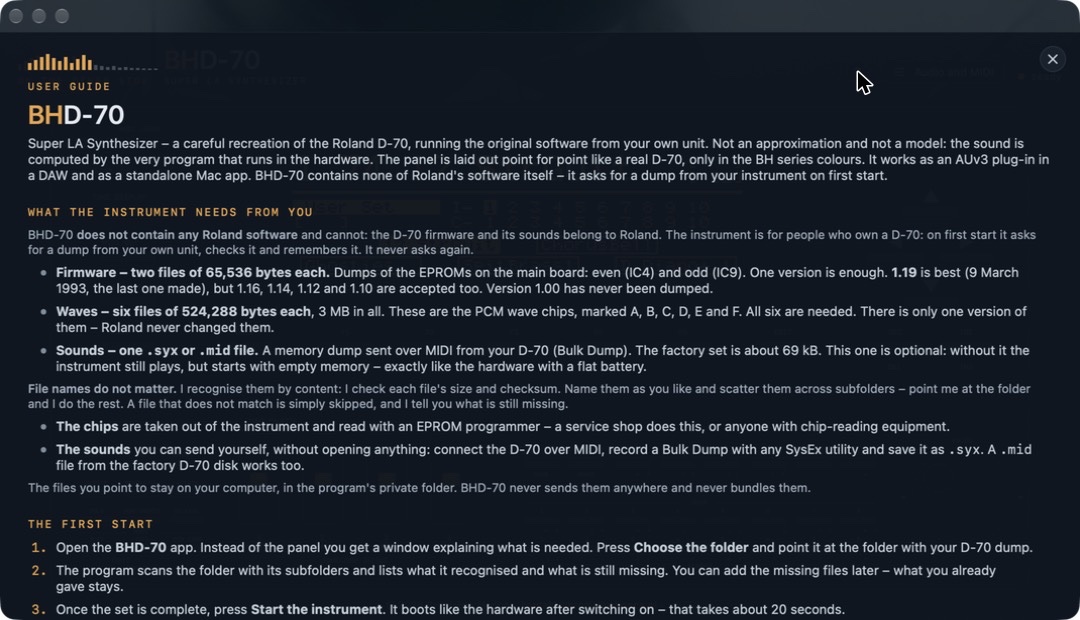
BHD-70 does not contain Roland software and cannot contain it — the D-70 firmware and its sounds are Roland’s property. The app is for people who own a D-70: on first launch it asks for a dump of your unit, checks it and remembers it.
- Firmware — two files of 65,536 bytes each. A dump of the EPROM chips on the main board: even (IC4) and odd (IC9). One version is enough — ideally 1.19 (from 9 March 1993, the last one ever made), but the app also accepts 1.16, 1.14, 1.12 and 1.10.
- Waves — six files of 524,288 bytes each, 3 MB in total. The PCM sound chips labelled A, B, C, D, E and F. All six are required.
- Sounds — one
.syxor.midfile, optional. A memory dump sent over MIDI from your D-70 (Bulk Dump); the factory set is about 69 kB. Without it the instrument plays, but starts with an empty memory — like the hardware with the battery removed.
Questions
I don’t have a D-70. Is BHD-70 any use to me?
No. The app contains no Roland software or sounds and will not play without files from a real D-70. Better to know that now than to download it and be disappointed.
Is BHD-70 a VST plug-in? Does it run on Windows?
No. BHD-70 is a virtual Roland D-70 in Audio Unit (AUv3) format plus a standalone app, for Macs with Apple Silicon only. There is no VST or Windows version. On the Mac it plays in hosts that support AU plug-ins, such as Logic Pro and BH AU Host, or on its own as a standalone app.
Which files exactly does it need?
Firmware: two files of 65,536 bytes — a dump of EPROM chips IC4 (even) and IC9 (odd), in one version: 1.19, 1.16, 1.14, 1.12 or 1.10 (ideally 1.19). Waves: six files of 524,288 bytes — PCM chips A, B, C, D, E and F, all six. Sounds: optionally one .syx or .mid file from a Bulk Dump, about 69 kB.
My firmware is not 1.19. Will it work?
Yes, the app accepts 1.19, 1.16, 1.14, 1.12 and 1.10. Version 1.00 has never been dumped by anyone. The wave chips exist in only one version — Roland never changed them.
What do the files have to be called?
Anything you like. The app recognises them by their content — it checks the size and checksum of each file — so they can have any names and sit in subfolders. You point it to a folder and it tells you what it found and what is missing.
How do I dump the chips?
The chips are removed from the instrument and read with an EPROM programmer. A service centre can do it, or anyone with chip-programming equipment.
How do I dump the sounds?
Yourself, without opening the instrument: connect the D-70 to your computer with a MIDI cable, send a Bulk Dump with any SysEx program (for example BH MIDI Router) and save it as a .syx file.
Do my files go anywhere?
No. The files you point to stay on your computer. The app does not send them anywhere.
Why does it take so long to start?
Because a real D-70 is booting underneath — the firmware start-up takes about 20 seconds, just like the hardware after power-up.
Why is it free?
The BHD-70 engine uses chip emulation under the GPL-3.0 licence. That is why BHD-70 is free and comes with its source code.
Requirements
- version
- coming soon
- system
- macOS 13 (Ventura) or later
- processor
- Apple Silicon
- format
- Audio Unit plug-in (AUv3) and standalone app
- you need
- files dumped from your own Roland D-70 (firmware and waves)
- language
- English, Polish
- price
- free, with source code (GPL-3.0)
Signed and notarised by Apple. Questions and ideas: kontakt@bronislawhonca.pl
Roland and D-70 are names and trademarks of Roland Corporation. BHD-70 is not Roland software, is neither released nor endorsed by Roland and is not affiliated with the company. The D-70 firmware and sounds belong to Roland and are not part of BHD-70.